Troubleshooting guide
Understand and retry the scrobble queue
The queue makes delayed Last.fm delivery visible instead of dropping tracks silently. Its state helps separate a current live listen from an item that really needs attention.
When an empty queue is normal
The current track is handled live and does not have to remain in the visible queue. The message Queue is empty. Current playback is being handled live. is therefore a healthy state.
Use the panel's Last delivery value and your Last.fm recent tracks to confirm completed delivery. Do not expect the currently playing track to appear as a completed scrobble immediately.
Read the queue states
- Pending: the track is waiting until it becomes eligible or until the next delivery pass.
- Relay: direct Last.fm delivery was unavailable and the item is waiting for the fallback batch.
- Retry: a previous attempt failed and the extension scheduled another one.
- Failed: the item needs another manual attempt or can be removed with Clear failed.
Retry safely
- Open View queue.
- Press Retry once. The extension immediately runs the eligible delivery work and updates each item's status.
- Wait for the result before pressing it again. If the network path is still unavailable, repeated clicks cannot repair it.
- Use Clear failed only when you want to discard failed items. It does not reconnect Last.fm.
Diagnose the delivery path
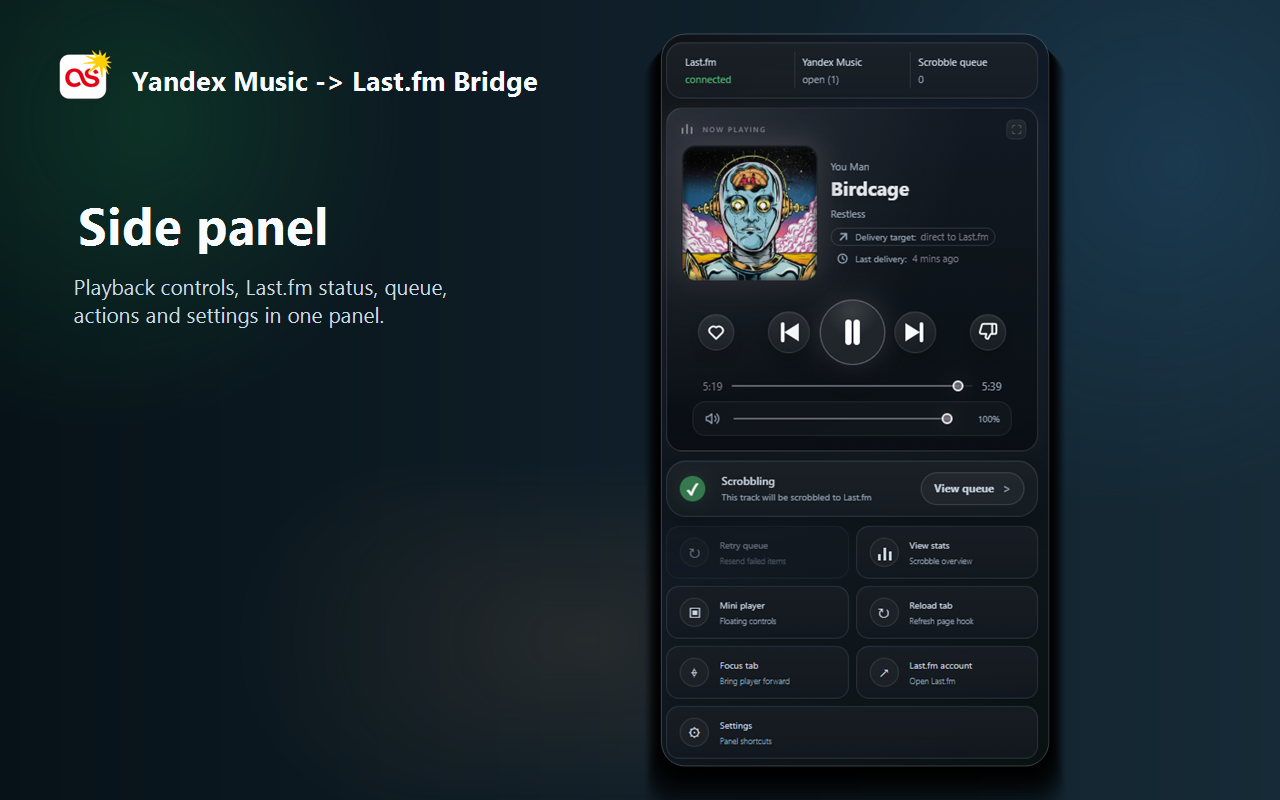
Check the three status areas at the top of the panel: Last.fm, Yandex Music and Scrobble queue. Then read Delivery target below the current track.
- direct to Last.fm means the browser API path is active.
- Cloud relay means fallback delivery is active or batching.
- connected confirms that a Last.fm session is saved. Direct profile or statistics requests can still be blocked by the current network.
Repair stale track data or controls
If the title, artwork or playback state no longer follows Yandex Music, the delivery problem starts before Last.fm. Open Tools, choose Settings, run Control health, then use Repair controls. Reload the Yandex Music tab if the check still reports stale hooks.
When asking for help, use Copy diagnostics and remove anything you do not want to share. Never publish a Last.fm password or session key.